
Rename, reorder, hide
Put Conversations, Calendars and Contacts at the top for the front desk; tuck Sites and Reporting away.

L1 Menus and navigation
Rename, reorder and hide items, move the menu to a top bar or a right dock, open busy sections as mega menus, and float a quick menu over every page.
A GHL custom menu reshapes GoHighLevel's navigation without touching permissions. You decide the order, names, icons and visibility of items, the layout (left, right or top bar in 8 styles), how sub-menus open (8 mega menu styles), the header (8 styles) and an optional floating quick menu.
Put Conversations, Calendars and Contacts at the top for the front desk; tuck Sites and Reporting away.
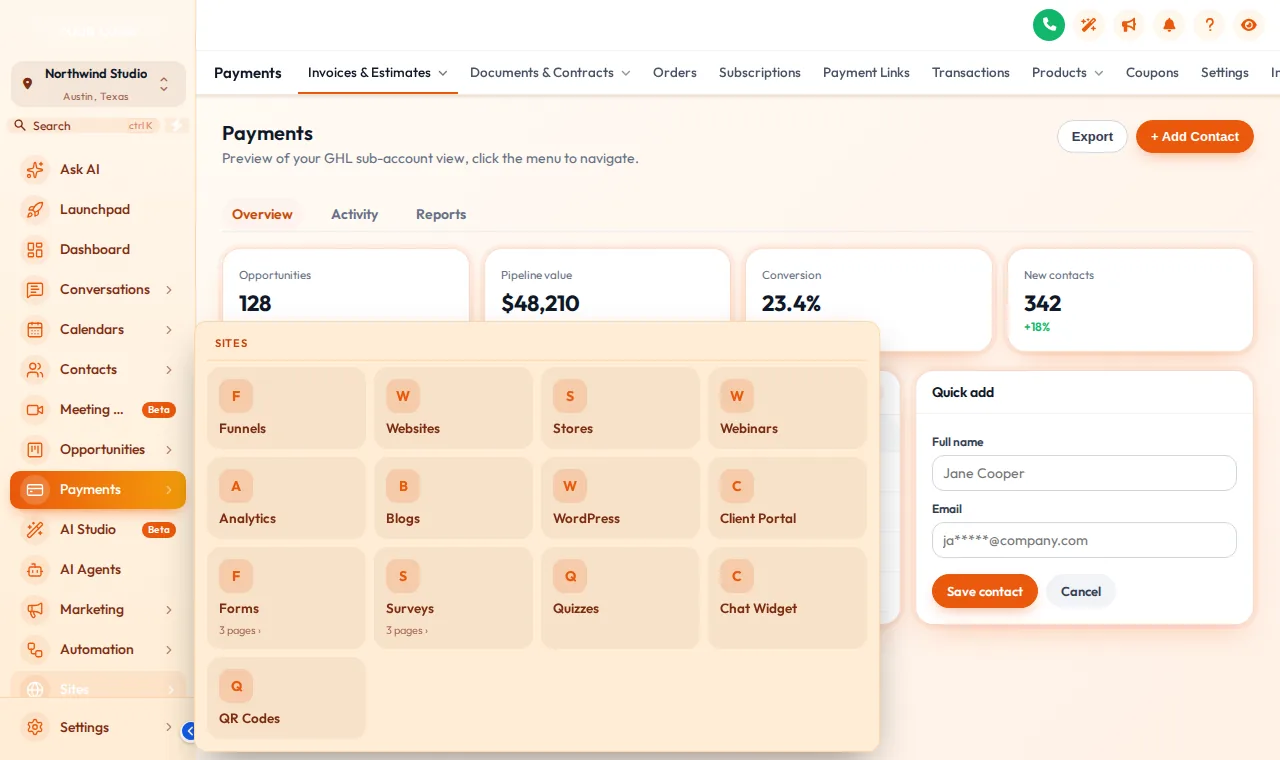
Columns, Split, Cascade, Tiles, Tabs, Icon rail, Accordion, Wide. Busy sections open as a panel instead of a long list.
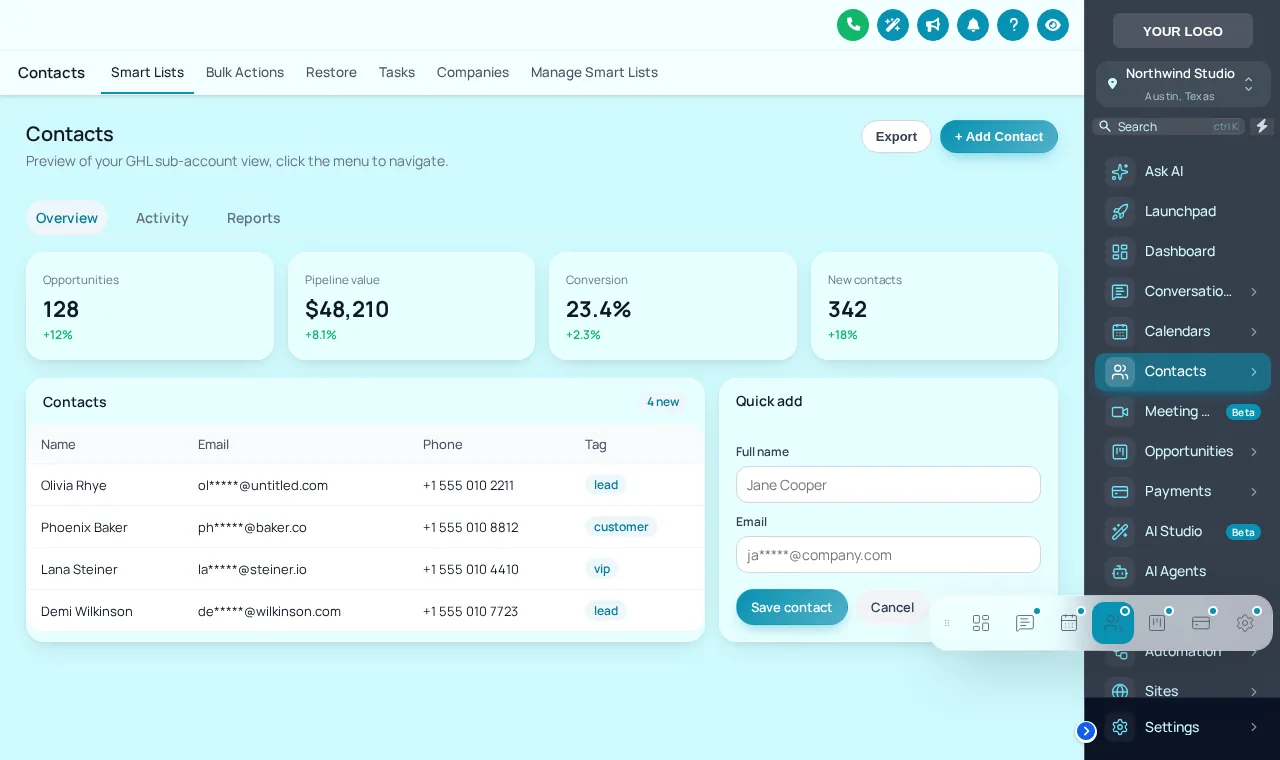
Bubble and grid, Dock bar, Side rail: the favourite pages, one tap away, draggable by each user.
Pick a layout and a sub-menu style, then use the menu inside the frame. Hover or tap Sites to open the mega menu.
Open the bubble, hover the dock or the rail, and drag it by its grip.
Loading the live preview
Dock barThe quick menu floats over every page. Open the bubble, hover the dock or rail, and drag it by the grip to move it.
Drag items into the order the clinic works in, rename them, choose icons, hide what the clinic never uses and add your own links.
Left sidebar, right dock or top bar in 8 styles, then a header style and how sub-menus open: a plain list or one of 8 mega menu styles.
Optional: a bubble, dock or rail with the pages people use most, in 8 designs. Staff can drag it where they like.
The agency view and the sub-accounts pick up the new menu on their next page load.
The order, names, icons and visibility of menu items; whether the menu is a left sidebar, a right dock or a top bar; how sub-menus open; the header style; your own links; and the page a sub-account opens on after sign-in.
8 top bar styles, 8 mega menu styles, 8 header styles, and a floating quick menu in 3 layouts and 8 designs.
Yes. Hide items such as Sites or Reporting so the front desk sees conversations, calendars and contacts first. Hiding a menu item is a convenience, not a permission: keep using GoHighLevel user roles for real access control.
Sections with many sub-pages, such as Payments or Sites, can open as a panel instead of a long list: columns, split, cascade, tiles, tabs, an icon rail, accordion or a wide band. Try the 8 styles in the preview.
Yes. Add links to a help centre, a booking page, training videos or anything else, opening inside the app or in a new tab.
A small launcher that floats over every page with the screens people use most. It opens as a bubble with a grid, a dock bar or a side rail, and each person can drag it to the spot they prefer.
No. It changes navigation only. What each user may open is still decided by GoHighLevel roles and permissions.
Adjustment Plus ($467 once) and the plan above it. It also includes dashboards, pipeline boards, contact actions and announcements.
Less than before, usually, because the menu now follows how the clinic works. Rename items in the words your team already uses, such as "Schedule" for Calendars.
Menus, mega menus, the quick menu, dashboards and pipeline boards all come with Adjustment Plus for $467 once.
GHL Chiropractor Snapshot is an independent business. GoHighLevel and HighLevel are trademarks of their owner; we are not affiliated with or endorsed by HighLevel. GHL Customizer accounts run on the GHL Customer Care customizer platform. Screens on this page are our own captures of sample data, not real patient or client records.
Manage how we use cookies. Necessary cookies keep the site working and can't be turned off.
Saved on this device. Press Esc to close.