

How does a San Antonio chiropractor automate Google review requests? You trigger a review ask off every completed visit, send it by text first, route happy patients to Google and unhappy ones to the doctor privately, then auto-reply to whatever gets posted — all inside your CRM, so it runs without the front desk lifting a finger. It matters because in a market this size the patient choosing between you and three other clinics on the map is reading star ratings before they ever dial. 84% of patients check online reviews before choosing a new healthcare provider (RepuGen, 2024), and 71% of consumers read local-business reviews regularly (BrightLocal, 2025). This is the step-by-step system for making the ask automatic.
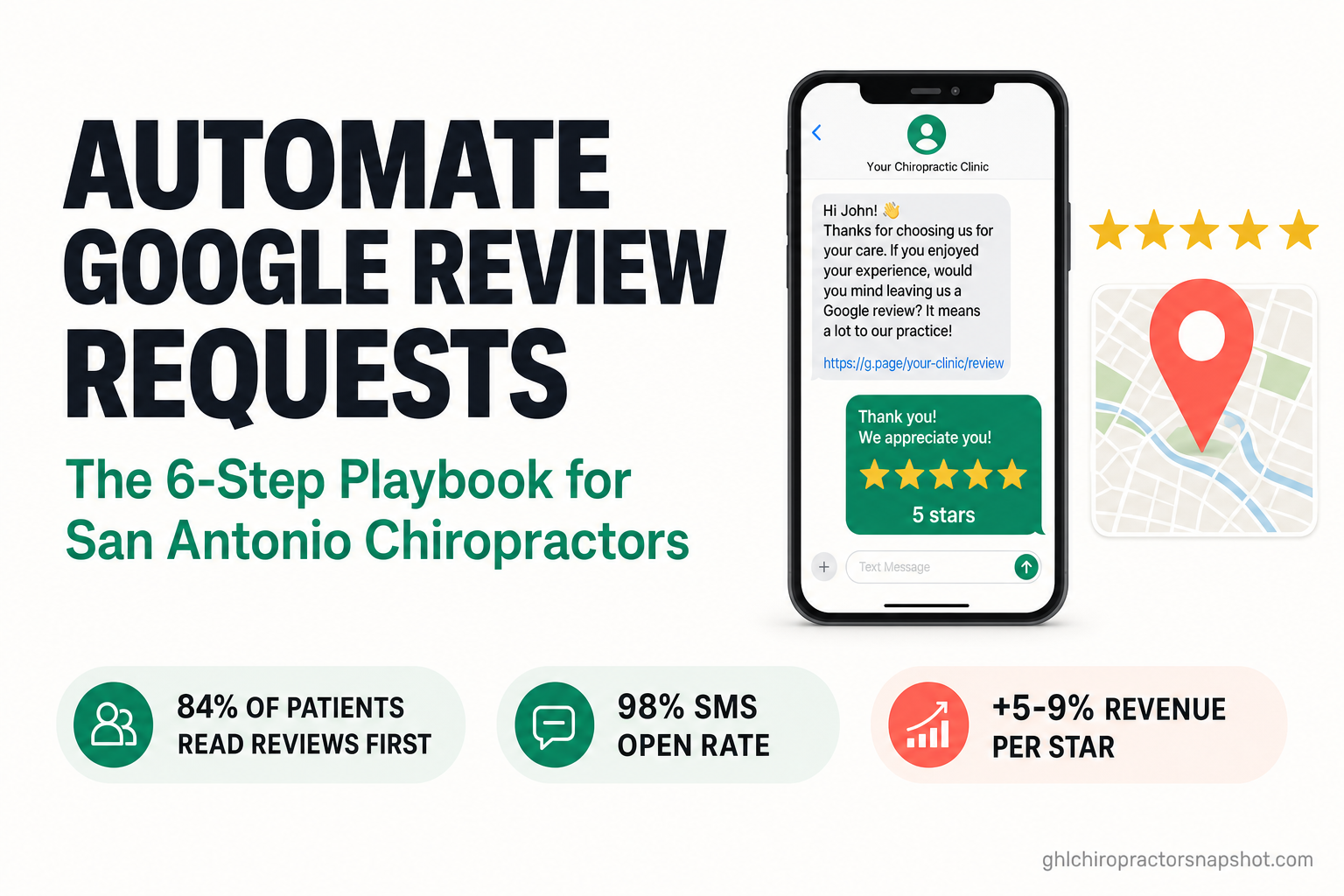
San Antonio is the 7th-largest city in the United States, with roughly 1.49 million residents and a metro of about 2.6 million (U.S. Census Bureau, 2024) — which means a lot of chiropractors competing for the same “chiropractor near me” search. The clinic that wins isn’t always the best adjuster; it’s the one with a steady stream of recent, high-star Google reviews and a system that keeps them coming. This playbook is for clinic owners and the GoHighLevel agencies that serve them. Every statistic below is dated and linked to its source.
Table of contents
- The short answer for a San Antonio clinic
- Why reviews decide where San Antonio patients book
- The 6-step system to automate review requests
- Why SMS-first beats email for review requests
- What automated reviews are worth in San Antonio
- Keeping it HIPAA-aware and TCPA-conscious
- Manual vs. automated review requests
- Frequently asked questions
The short answer for a San Antonio clinic
If you want more Google reviews without nagging patients or adding a task to the front desk’s day, you stop asking by hand and let the CRM do it. The moment a visit is marked complete, an automated workflow sends a short, friendly review request — text first, email as backup — with smart routing so a thrilled patient reaches Google in one tap and an unhappy one reaches the doctor privately before anything goes public. Then every review that lands gets an automated reply.
That’s the entire system, and it works because it removes the two things that kill review generation at a busy clinic: remembering to ask, and asking at the right moment. A human front desk forgets under load. An automation never does. The result is what your San Antonio competitors mostly don’t have — a predictable, recent flow of reviews rather than a stale page that stopped growing two years ago.
The rest of this playbook breaks that system into six steps you (or your agency) can build in GoHighLevel, plus the compliance guardrails that keep patient messaging clean.
Why reviews decide where San Antonio patients book
Before a new patient in Stone Oak or Alamo Heights ever calls, they vet you on Google. And Google is where they look — it’s the #1 review platform, used by 81% of consumers to read local-business reviews (BrightLocal, 2025). Your Google Business Profile is your storefront in local search, and its star rating is the first thing a searching patient compares against the other pins on the map.
Those stars act as a hard filter, not a nice-to-have:
Look at where the cutoffs land. 68% of consumers require at least a 4-star average before they’ll use a business, and 71% won’t even consider one below 3 stars (BrightLocal, 2024). Drop under those thresholds and you’re not losing a little traffic — you’re invisible to two-thirds of the market.
It’s not only the rating. Review recency and volume feed your ranking, too: review signals account for roughly 16% of what determines local pack (Map Pack) position, and Whitespark’s local-search experts now flag review recency as one of the most underrated ranking factors of the year (Whitespark, 2026). A clinic that collected 40 reviews in 2023 and none since looks stale next to one adding a handful every week. That “freshness” is precisely what an automated request engine produces and a manual process can’t — which is the whole point of what follows. For the broader local-search picture, see our local SEO guide for chiropractors.
The 6-step system to automate review requests
Here’s the workflow to build in GoHighLevel. Each step is one segment of a single automation that starts the instant a visit ends.
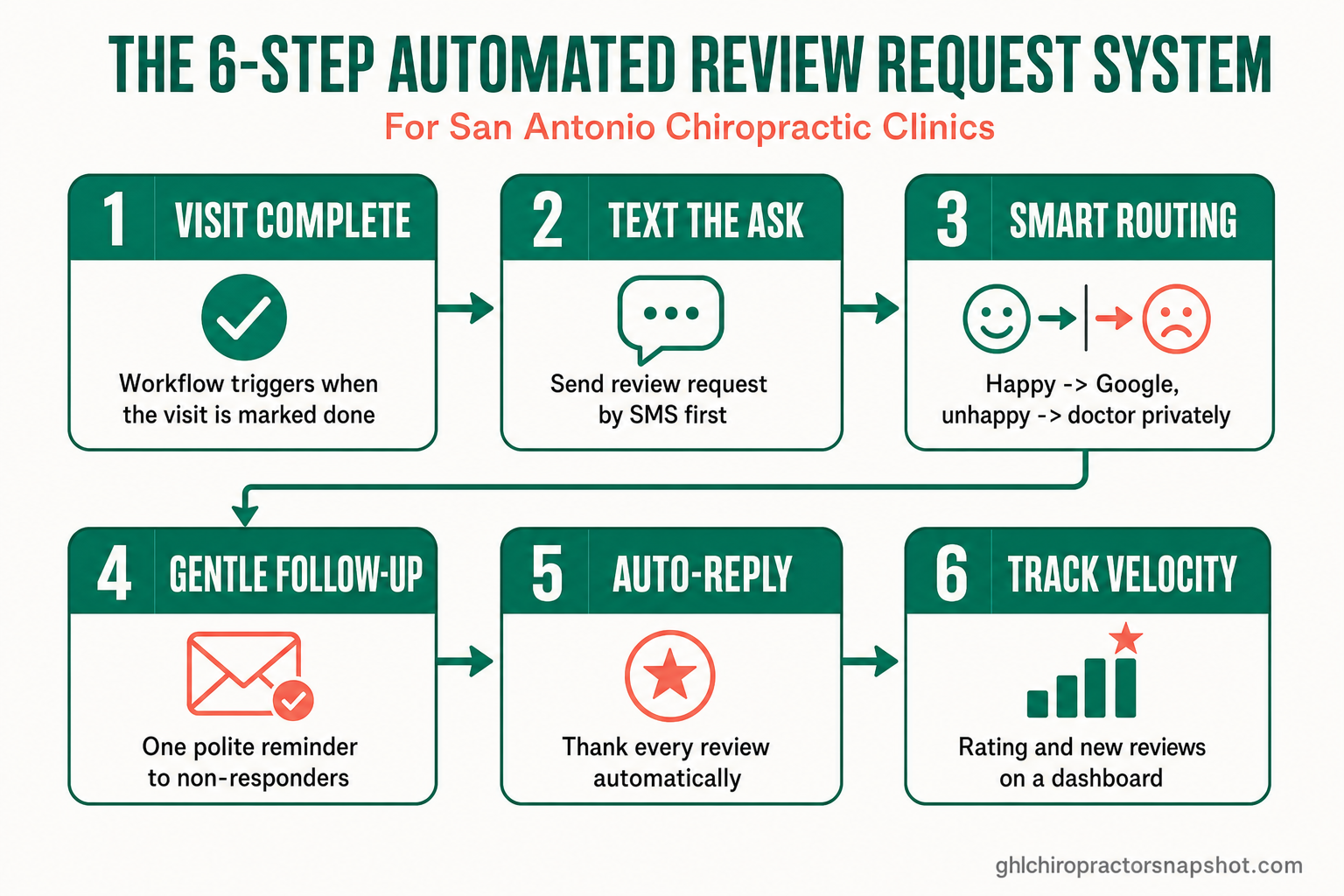
Step 1 — Trigger off the completed visit. The request should fire from a real event, not a manual button. When the front desk marks an appointment “completed” (or a patient’s status flips in your pipeline), the workflow starts. Tie it to genuinely satisfied moments — a wrapped-up care plan milestone, a strong progress visit — not a first-visit exam where the patient has nothing to review yet. Timing is the difference between a warm yes and an ignored text.
Step 2 — Send the ask by SMS first. Text is the channel patients actually see (more on the data below). Keep the first message short, warm, and one-question: “Hi [Name], this is [Clinic] — so glad we could help today! Would you mind sharing a quick review? It takes 20 seconds: [link]. Reply STOP to opt out.” One clear ask, one tap.
Step 3 — Route happy patients to Google, unhappy ones to you. This is the piece most clinics miss. Before the Google link, a one-tap satisfaction check (“How was your visit?”) splits the path: patients who respond positively get the direct Google review link; anyone who signals a problem is routed to a private feedback form that alerts the doctor first. You catch the issue before it becomes a public 1-star, and you fix it like a professional. This isn’t review gating for fake ratings — it’s making sure the right conversation happens in the right place.
Step 4 — Follow up once, gently. Most people who intend to leave a review get distracted. A single, polite reminder a day or two later — only to non-responders, never to anyone who opted out — recovers a meaningful share of reviews without becoming a nuisance. One nudge, then stop.
Step 5 — Auto-reply to every review that lands. Responding matters as much as collecting: 88% of consumers would use a business that replies to all its reviews, versus just 47% for one that never responds (BrightLocal, 2024). Automate a thank-you reply to 4- and 5-star reviews and flag anything lower for a same-day personal response from the doctor.
Step 6 — Track velocity and rating. Put review count, new-reviews-per-week, and average rating on a dashboard so “reputation” becomes a number you manage, not a vibe. If velocity dips, you’ll see it before your Map Pack ranking does. (For the metrics that matter most, see our chiropractic practice KPIs guide.)
For the human side — the exact wording and timing that gets a yes without feeling pushy — pair this system with our 12-reviews-a-month playbook.
Why SMS-first beats email for review requests
The single biggest lever in this whole system is the channel. A review request only works if the patient sees it, and that’s where text crushes email. SMS runs roughly a 98% open rate with about 90% of texts read within three minutes, against a ~20% open rate for email (Infobip, 2026). (That 98% figure is a widely cited industry benchmark, not a single controlled study — but the direction is consistent across every source, and it matches what clinics see in practice.)
The follow-through backs it up: people do leave reviews when you ask well. 69% of consumers left a review after being prompted in the past year (BrightLocal, 2024), and the long-standing benchmark is that about 70% of customers will leave a review when asked (Search Engine Land, 2016). The willingness is there. The missing piece is a system that asks every time, through the channel patients read — which is exactly what an SMS-first automation delivers. The same text engine powers the rest of your patient messaging; see SMS automation.
What automated reviews are worth in San Antonio
Reviews are the most asymmetric marketing a clinic has: a little structure produces outsized returns. The landmark economics come from Harvard Business School economist Michael Luca, whose study found that each additional star in a business’s rating drove a 5–9% increase in revenue — with a larger effect for independent businesses (Harvard Business School, 2011). It’s an older, foundational study, but the mechanism hasn’t changed: higher ratings win more clicks and more customers.
For a San Antonio chiropractic clinic, that plays out in two compounding ways. First, visibility — a higher star rating and fresher reviews lift your position in the Map Pack, so more local searchers see you at all. Second, conversion — once they see you, the rating decides whether they tap your pin or the clinic below it, given that 68% won’t go below 4 stars. Move from a 4.1 to a 4.6 average and you’re not just prettier; you clear the filter that two-thirds of patients apply, and you do it in the highest-intent moment there is.
Now weigh the cost. The manual version of this — a staff member remembering to ask, texting a link by hand, checking for new reviews, writing replies — is real labor that quietly doesn’t happen on busy days. The automated version costs the patient a 20-second tap and the clinic nothing per request once it’s built. In a metro with millions of residents and hundreds of competing chiropractors, the practice that systematizes reviews compounds a lead that’s very hard for a rival to catch.
Keeping it HIPAA-aware and TCPA-conscious
Because review automation touches patient communication, two guardrails are non-negotiable — and both are easy to honor when you build them in from the start:
- HIPAA-aware. Keep protected health information out of plain SMS. A review request is about experience and logistics — “So glad we could help today — would you share a quick review?” — never a diagnosis, symptom, or treatment detail. Identity plus a thank-you is fine; clinical content is not. Route any patient who replies with health specifics into a secure channel rather than mirroring it back in plain text. And never incentivize or pay for reviews, and never suppress honest negative ones — smart routing is about reaching the doctor first, not hiding feedback, which also keeps you inside Google’s review policies.
- TCPA-conscious. Get consent to text, include a clear opt-out (“Reply STOP”) on the first automated message, honor STOP instantly, respect quiet hours, and cap the sequence at one gentle follow-up. Helpful and brief, never a drip campaign.
We are an automation system for clinics, not a healthcare provider, and nothing here is legal advice — confirm your specific obligations with your own counsel. For the fuller compliance picture on patient SMS, see our TCPA-conscious text-message marketing playbook.
Manual vs. automated review requests
Three ways to ask for reviews
| Plan | Ask by hand | Email blast | Automated SMS system recommended |
|---|---|---|---|
| Price | Front-desk time | Cheap but weak | Built once, runs itself |
| Feature 1 | Someone must remember, every visit | ~20% open rate — most never seen | Fires off every completed visit |
| Feature 2 | Breaks down on busy days | Feels impersonal and batchy | ~98% open rate, text-first |
| Feature 3 | Inconsistent timing and wording | Easy to mark as spam | Smart routing: happy → Google |
| Feature 4 | No routing — bad visits hit Google | Slow, delayed asks lose the moment | Auto-replies to every review |
| Feature 5 | Velocity stalls, page goes stale | Low completion rate | Steady, recent velocity on autopilot |
| See review automation |
The pattern is the same one that separates every automated clinic system from its manual version: the technology isn’t smarter than your front desk, it’s just consistent — and consistency is what actually moves review velocity, star rating, and Map Pack position.
Frequently asked questions
Automating Google review requests — FAQ
How do you automate Google review requests for a chiropractic clinic?
You build a workflow in your CRM (GoHighLevel) that triggers the moment a visit is marked complete. It sends a short review request by text first, uses a one-tap satisfaction check to route happy patients to your Google review link and unhappy ones to a private feedback form for the doctor, sends one gentle reminder to non-responders, and auto-replies to every review that gets posted. The Chiropractor Snapshot ships this whole system pre-built.
Is routing happy patients to Google and unhappy ones to a private form allowed?
Yes — with a critical caveat. It's legitimate to ask how a visit went and give an unhappy patient a private way to reach the doctor first, so you can fix real problems. What you must not do is block or suppress honest negative reviews, pay for reviews, or filter so that only 5-star ratings can ever be posted — that violates Google's review policies. The goal is to reach the doctor before a fixable issue becomes public, not to hide feedback.
Why send review requests by text instead of email?
Because patients actually see texts. SMS runs roughly a 98% open rate with about 90% read within three minutes, versus about 20% for email (Infobip, 2026). A review request that lands in an unopened inbox produces zero reviews. Text-first delivery — with email as a backup — is the single biggest lever on how many reviews you collect.
How many Google reviews does a San Antonio chiropractor need?
There's no magic number, but two things matter more than a total: rating and recency. 68% of consumers require at least a 4-star average and 71% won't consider a business below 3 stars (BrightLocal, 2024), and review recency is a rising local-ranking factor (Whitespark, 2026). A steady flow of recent reviews that holds you above 4.5 stars beats a big pile that stopped growing two years ago — which is exactly what automation produces.
Is texting patients for reviews HIPAA compliant?
It can be, when built correctly. Keep protected health information out of plain SMS — a review request is about the patient's experience and a thank-you, never a diagnosis, symptom, or treatment detail. Get consent to text, include a clear opt-out on the first message, honor STOP instantly, and respect quiet hours. This is operations guidance, not legal advice — confirm your obligations with your own counsel.
Do automated review requests really work, or do they annoy patients?
They work precisely because people are willing when asked well: 69% of consumers left a review after being prompted in the past year (BrightLocal, 2024). The keys to not annoying anyone are timing (ask after a genuinely good visit, not a first exam), brevity (one clear ask, one tap), and restraint (a single gentle follow-up, then stop). A well-built automation does all three more consistently than a busy front desk can.
About the author
Derek Osei is the Local Marketing & Reviews Specialist on the GHL Chiropractor Snapshot team, based in Tampa, FL. He builds the Google Business Profile, review-generation, and local-search systems that move chiropractic clinics into the Map Pack and keep them there. With a background in local SEO and reputation marketing for service businesses, he writes practical, no-fluff playbooks on turning local search intent into booked exams. Derek is an automation and marketing specialist, not a licensed chiropractor, and nothing here is medical or legal advice.
Sources
- RepuGen — Patient Review Survey (2024)
- Patient Engagement HIT / TechTarget — 72% of Patients View Online Reviews When Selecting a New Provider (2023)
- BrightLocal — Local Consumer Review Survey (2025)
- BrightLocal — Local Consumer Review Survey (2024)
- Whitespark — Local Search Ranking Factors (2026)
- Harvard Business School — Reviews, Reputation, and Revenue: The Case of Yelp.com (Luca, 2011)
- Infobip — SMS Marketing Statistics (2026)
- Search Engine Land — 70% of Consumers Will Leave a Review for a Business When Asked (2016)
- U.S. Census Bureau — QuickFacts: San Antonio City, Texas (2024)
Figures are attributed to the sources and years shown. Consumer behavior, review-response effects, and SMS engagement vary by clinic, region, and patient mix; the numbers here are representative benchmarks, not guarantees. The Harvard Business School figure (2011) and the Search Engine Land figure (2016) are landmark/older data cited for the underlying mechanism, and the ~98% SMS open rate is a commonly cited industry benchmark rather than a single controlled study. This article is marketing and operations guidance for chiropractic clinics and the agencies that serve them — it is not medical, legal, or financial advice. Keep all patient messaging HIPAA-aware (no PHI in plain SMS) and TCPA-conscious (consent and opt-out).
Related posts
- How to Get 12+ Google Reviews a Month at Your Chiropractic Clinic — Without Feeling Pushy — the exact timing and wording that gets a yes.
- Local SEO for Chiropractors in 2026: The Map Pack Playbook — how reviews feed your local ranking.
- Missed-Call Text-Back for Chiropractors — the same SMS-first reflex, applied to the phone.
- Chiropractic Practice KPIs: The Numbers That Actually Predict Growth — where review velocity fits your dashboard.
- Text Message Marketing for Chiropractors: The TCPA-Compliant SMS Playbook — the broader compliance picture for patient SMS.