New front desk hires
Day one starts on a page with the clinic's name and photo, not a generic portal, which makes the system feel like part of the practice.
C2 Login page designs
The sign-in screen is the first thing your team sees each morning. Choose one of 16 animated designs, add your logo, words and photo, and it covers two-factor and password reset too.
A GHL custom login page replaces the stock sign-in screen on your white-label domain with a branded, animated design. This account includes 16 designs that style the sign-in, two-factor and password reset screens alike, installed with one CSS line and changed any time in the editor.
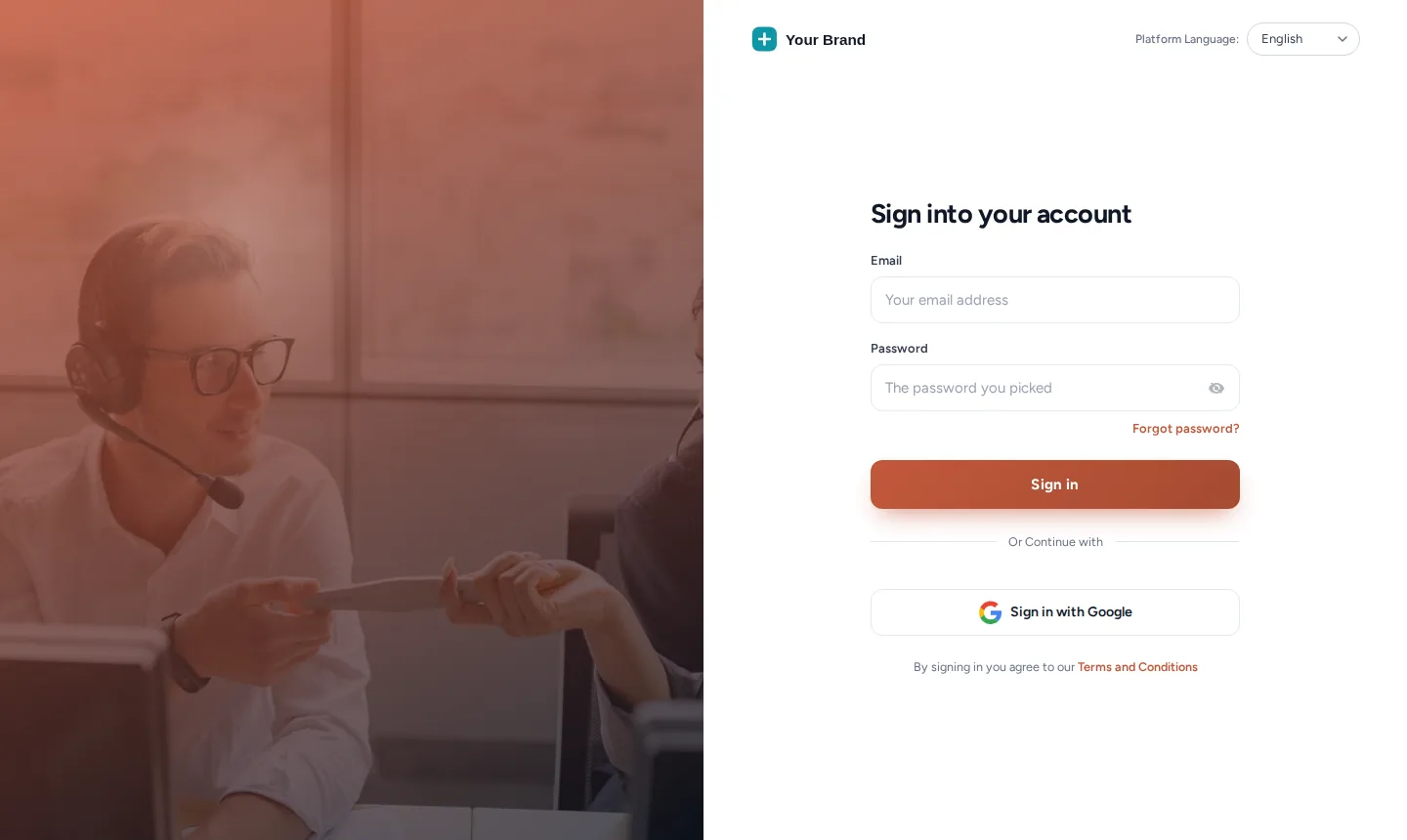
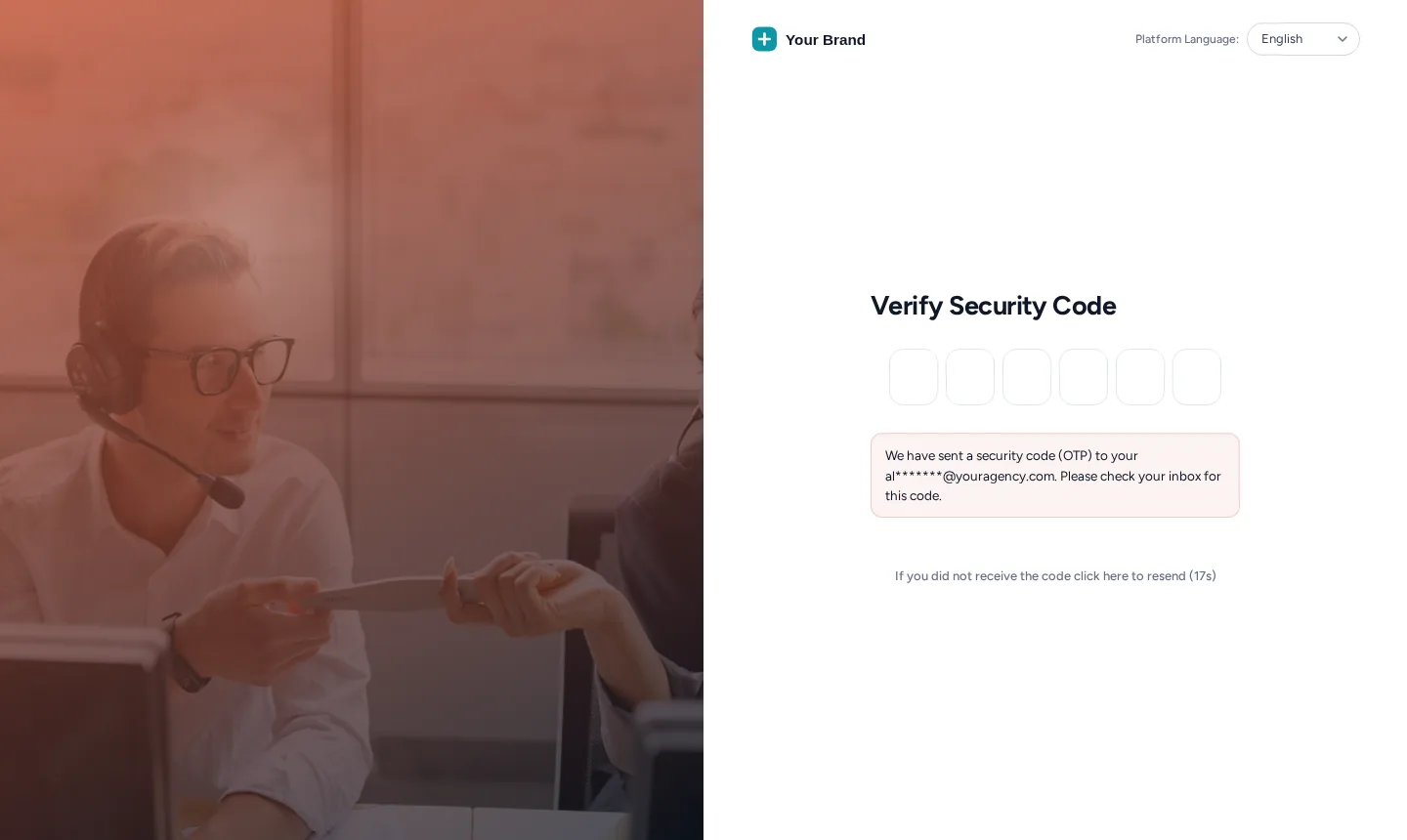
The reset screen picks up the same design, so a staff member locked out at 7am still lands on something that looks like your clinic.
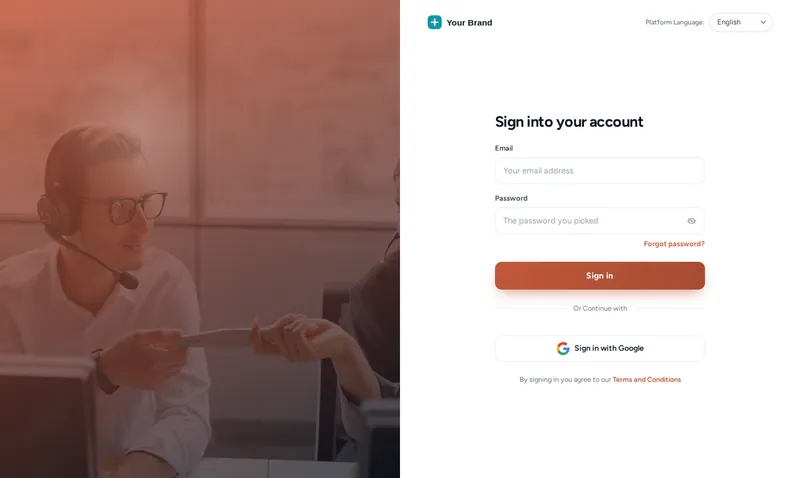
Each option applies the shipping CSS to a copy of the real GoHighLevel login markup. Switch screens, replay the entrance animation, or try the phone view.
Loading the live preview
Split heroThe same CSS that ships to GoHighLevel, applied to a copy of the real login markup. Switch screens to see two-factor and password reset in the same design.
Every design in the catalogue with what makes it different. Dark designs suit evening logins; quote-capable designs can rotate a line about your care philosophy.
| Design | What it looks like | Tone |
|---|---|---|
| Aurora | Drifting colour glow behind a glass card | Dark |
| Split hero | Photo panel with your message or quotes, sign-in on the right | Light, quotes |
| Cinematic | Full-screen slow-zoom photo, frosted card and rotating quotes | Dark, quotes |
| Editorial | Sign-in on the left, big photo and quotes on the right | Light, quotes |
| Midnight stars | Twinkling night sky, moon glow and rotating quotes | Dark, quotes |
| Neon grid | Moving retro grid and a spinning glow border | Dark |
| Prism ring | Dark page with a slowly turning colour ring behind the card | Dark |
| Gradient mesh | Soft colour blobs morphing behind a white glass card | Light |
| Ocean waves | Light page with rolling waves and a floating card | Light |
| Minimal glow | Clean white, soft spotlight and a moving accent bar | Light |
| Frosted photo | Full-screen mountain photo, crystal glass card, drifting light | Dark |
| Photo wall | Sign-in on the left, two photo columns gliding on the right | Light |
| Sunrise hills | Warm sky, a rising sun and rolling layered hills | Light |
| Orbit | Deep space rings with planets circling the card | Dark |
| Light beams | Dark grid with falling light beams and a top spotlight | Dark |
| Holographic | Pearl page, iridescent glow and a shimmering foil border | Light |
Day one starts on a page with the clinic's name and photo, not a generic portal, which makes the system feel like part of the practice.
Clinic owners log in to your brand every morning. That daily reminder is worth more than any logo in a footer.
A consistent, branded sign-in on your own domain helps staff recognise the real page, a small but useful habit next to two-factor codes.
Browse the 16 designs in the editor and open any of them on the sign-in, two-factor and reset screens.
Set the logo, headline and background photo. 4 designs can also rotate short quotes, such as a line about your clinic's approach to care.
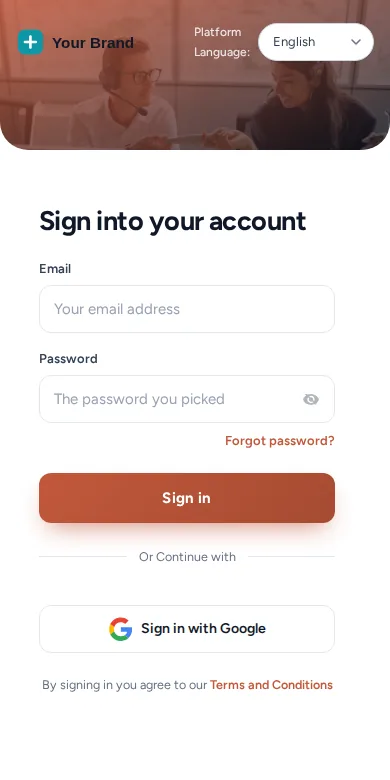
Every design is responsive. Use the phone view to make sure the photo and form read well on a small screen.
The login page uses one CSS import in the same white-label settings as the main code. About 2 minutes, done once; later edits apply on their own.
It restyles the GoHighLevel sign-in page on your white-label domain: background, layout, logo, colours, motion and the form itself. The same design follows through to the two-factor code and password reset screens.
16 animated designs, 8 of them dark, from photo panels and gradient meshes to light beams and a holographic finish. All are included from Alignment.
Everyone who signs in to your GoHighLevel domain: the clinic owner, front desk staff, associate doctors and, for agencies, each client clinic. It is the first screen of the working day, which is why it is worth branding.
With one CSS import line in Agency Settings, Company, White Label, next to the main code. You add it once; switching designs later happens in the editor.
No. Authentication, two-factor codes and password resets work exactly as GoHighLevel provides them. Only the presentation changes.
Yes. Photo-based designs such as Split hero, Frosted photo and Photo wall take your own image, so the login can show your treatment room or your team.
Yes. Each design adapts to small screens; switch the preview above to the phone view to see the Split hero design stack the photo above the form.
The login page belongs to the white-label domain it is installed on. Agencies with several domains can style each one, within the allowed-domain limit of the plan.
Yes. Alignment ($197 once) includes all 16 login designs together with the themes and dark mode.
All 16 login designs come with Alignment, together with every theme and dark mode, for $197 once.
GHL Chiropractor Snapshot is an independent business. GoHighLevel and HighLevel are trademarks of their owner; we are not affiliated with or endorsed by HighLevel. GHL Customizer accounts run on the GHL Customer Care customizer platform. Screens on this page are our own captures of sample data, not real patient or client records.
Manage how we use cookies. Necessary cookies keep the site working and can't be turned off.
Saved on this device. Press Esc to close.